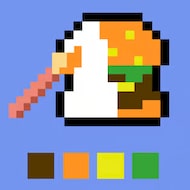
Draw Pixel Art is a digital canvas game that allows players to craft images one square at a time. Perfect for both beginners and experienced creators, the game emphasizes precision, imagination, and attention to detail. Players can design anything from small icons and characters to elaborate scenes, experimenting with color and style to create distinctive pixel-based artwork in a fun and immersive environment.
Exploring the Drawing Tools
The game provides a variety of tools that make designing pixel art straightforward yet versatile. Some essential features include:
- Pixel pen: Apply individual colors to each square to create detailed designs.
- Area fill: Quickly cover larger sections of your artwork with a single shade.
- Eraser: Correct mistakes efficiently without affecting surrounding pixels.
- Color palette: Pick from a range of preset colors or mix custom tones for personalized creations.
- Zoom and navigate: Focus on intricate details or review the complete composition for perspective.
Features That Enhance Your Creations
Beyond basic drawing, the game includes advanced functions that improve workflow and creativity:
- Grid view: Toggle a grid overlay to align your pixels precisely and maintain proportions.
- Undo and redo: Easily reverse or repeat actions to refine your design without losing progress.
- Template access: Start from pre-designed examples or patterns to guide your work and spark ideas.
- Saving and exporting: Store your art for later editing, sharing, or incorporating into other projects.
- Adjustable canvas: Expand or reduce your workspace for small icons or larger pixel compositions.
Techniques for Better Pixel Art
To create polished and visually appealing artwork, consider the following strategies:
- Start with outlines: Define the main shapes before adding color to keep the design clear and structured.
- Use highlights and shadows: Apply lighter and darker shades to add depth and dimension.
- Limit your color selection: Fewer colors often create a more cohesive and visually striking result.
- Plan layers: Separate background, foreground, and detailed elements for better organization.
- Practice regularly: The more time you spend experimenting with pixels, the more precise and creative your work will become.
- Experiment freely: Try unusual color combinations, patterns, and shapes to develop a signature style.
Why This Game is Perfect for Digital Artists
Draw Pixel Art stands out because it balances simplicity with creative potential. Unlike more complex design software, it emphasizes precision and patience, encouraging players to focus on each individual pixel. It’s an excellent tool for creating retro-style graphics, personal icons, or experimental artwork, offering a relaxing yet rewarding experience. The game’s intuitive design allows anyone to begin creating immediately, while its advanced features give room to grow and refine artistic skills. With unlimited possibilities and a fully editable canvas, players can spend hours producing detailed, colorful, and unique pixel creations, making it a go-to platform for creative expression.